
|

|

|

|
Category Archives: Thursday in the Zone
Gaming-related posts, covering games of my particular interest from the collectible, video, and PC genres.
What Gaming is REALLY All About (Pie Chart)
Whether we’re console gamers, PC gamers, or tabletop gamers, I think this little chart applies quite well… 😛

Tongue-in-Cheek HeroClix Powers
For this week’s post, I was inspired by Magic: the Gathering’s joke card sets (Unglued and
Unhinged); I wondered what it’d be like if HeroClix had a whole slew of joke powers and figures. Here are a few I came up with:
Funny Movement Powers
Place Legos
A character possessing this power can place up to 4 Special tokens while moving. Opposing characters who cross one of these spaces have to stop; they are dealt 1 unavoidable damage and given 1 extra action token immediately. (Because stepping on a Lego automatically means hopping around in crippling pain!)
Vine Swing
This character can move between any two squares of Hindering Terrain, provided that the line of movement does not cross more than one square of Water or Clear terrain (and crosses no Blocking terrain). (Should the Tarzan yell be a requirement for using this power?)
Funny Attack Powers
Whine
(Prerequisite: “Kid” keyword)
When this character is adjacent to an opposing character, roll 1 d6 at the beginning of your turn for each opposing character this one is adjacent to. If the result is 5 or 6, place an action token on the opposing character. (Because you can only put up with whining for so long…)
Duct Tape
When this character attacks an opposing character, place a Duct Tape token on the opposing character’s card. Until your next turn, that character may not attack or move adjacent to any opposing or friendly character. When your next turn comes, remove the Duct Tape token, and that character takes 1 unavoidable damage. (Duct tape: the fastest way to stop somebody from talking. XD Also, ripping the duct tape off is extra revenge… LOL)
Funny Defense Powers
Oh No She Didn’t
When attacked, this character may immediately make a counter-attack as a free action, with +1 to their normal attack value. (Add a Z-snap if you wish :D)
On the Throne
This character cannot be the target of an attack if he or she is on a square of Hindering Terrain representing a toilet. (“I’ll be out in a minute!!!”)
Funny Damage Powers
Pen Poke
When this character is adjacent to an opposing character, deal damage to the opposing character at the beginning of your turn, rising incrementally every turn that the two are adjacent. (Example: 1 damage first turn, 2 damage second turn, etc.) Defense modifiers come into play as normal. (Because poking someone with a pen usually just gets more and more violent until you get their attention…)
Sriracha Attack
(Prerequisite: “Bottle of Sriracha” Item)
A character possessing this power and holding the “Bottle of Sriracha” may attack as normal. When opposing characters are damaged by this character, they take normal damage, then take 1 unavoidable damage on each of the next two turns. Opposing characters holding the item “Glass of Milk” are not affected by the unavoidable damage. (Those of us with no spicy food tolerance know how accurate this power is!)
Pruning Your Gaming Collections
When you play any kind of collectible game, inevitably you will end up with items you don’t use. Whether you bought a few booster packs and ended up with extras, or whether you had to get a few things you weren’t crazy about to balance out a trade, you’ll end up with a box or two of cards or figures you aren’t using and don’t plan to use.
Getting your collection built up like this is the easy part. Slimming that collection back down? Not so easy. If you’re like me and have boxes upon boxes of gaming stuff stashed away (or out in the middle of the floor where you can trip over it, lol), you’re probably wondering how in the world to get rid of some of it. Here are my little tips and bits of advice.
Step 1: Sort It ALL
Yes, yes, I know, this is the stinkiest part about pruning your collections down, but you really have to sort your collection to find out what you’ve got. Who knows, there could be a hidden gem in there waiting to be discovered! You don’t want to give your whole collection away only to find out that there was a money card or money figure that you could have sold for yourself.
Some tips for sorting your collection:
- Keep a record of everything you find in your collection–this is key for Step 2. Whether you choose to write it all down on a legal pad, or keep a complicated Microsoft Excel file (*cough* me *cough*), this will make your sorting much more worthwhile.
- Put like things together. Examples: For M:TG cards, you could group them by color, card type, or rarity; for HeroClix figures, you could group them by point cost or powers/abilities.
- Immediately pull out the stuff you want to keep and set it aside as you find it. Trust me, don’t wait on doing this, because you’ll forget!
- If you’re not sure whether you need to keep an item, put it aside in a separate box from your definite “keeps.” If in a month you haven’t needed to open the box to get at it, you don’t need it.
- Use watertight boxes to store everything; you don’t want your stuff damaged before you can sell it or use it.
Step 2: Price It
Once you know what you’ve got, it’s time to look up all your items and see if they’re worth selling online. Most items you’ve collected might not be worth a whole lot, but you never know!
My gaming group tends to trust prices that are found on EBay, Amazon, and CardShark more than any other sites. Check for completed listings to see what your items are REALLY going for, rather than the price people are asking for.
Step 3: Package It (Carefully), Whether It’s Worth Money or Not
If you’re lucky and come across several items that you want to sell, be sure to package them carefully so that they stay in as pristine condition as possible. This will not only get you top dollar for your item, but will also make your buyers very happy!
However, if you don’t come across any money cards or figures, that doesn’t mean that you should just throw ’em all in a box without caring. You can still use them as trade fodder, or you could make a generous donation to another player at your local gaming shop who’s just getting started and needs items to play with. Make sure they’re in good condition, and someone else will have a chance to enjoy them!
Unusual MTG Creature Types, part 5: Shade
To wrap up this little series on unusual Magic: the Gathering creatures, I’ll end with the Shades, which are a small but interesting part of Black’s pool of creatures. As you’ll soon see, Shades give Black a little more combat punch than it usually gets!
What Do the Shades Do?

|
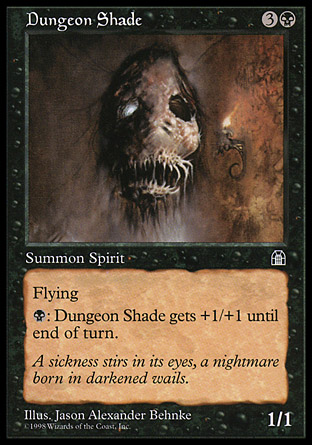
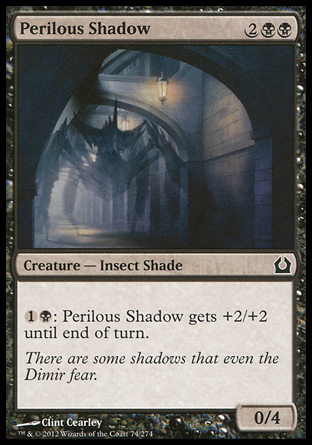
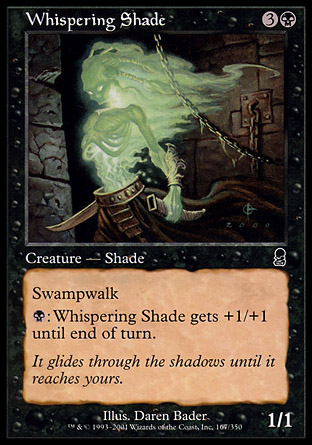
Almost all of the Shades work off the mechanic of paying a certain amount of mana to get +1/+1 till end of turn, like Nantuko Shade at left. This amount of mana can be paid as many times as possible, so you can easily end up with a ridiculously powerful Shade swinging at your opponent! (Black doesn’t get such combat-ready creatures very often, so this can give an otherwise control-based deck another way to win.)
Several of the Shades also manipulate mana in various ways, whether enabling you to search for it, giving you more mana per tapped land, or allowing you to sack lands to give it further +1/+1 boosts till end of turn. Other than that, there are a few scattered combat-aiding abilities like flying, regeneration, defender, fear, swampwalk and haste floating around the Shade creature type. With 26 Shades printed thus far, most of them black (only 1 white and 1 red/black Shade exist), they can make a neat Black creature-based deck if one is so inclined. Their mana curve runs from 1 to 6, with most of them hovering around 4 mana. |
More Examples of Shades

|
|

|
|
|

|
All card images are from MagicCards.info.
Further Research: Complete List of Shades in Magic: the Gathering
Unusual MTG Creature Types, part 4: Ooze
Okay, all grossness and revulsion aside, Ooze IS indeed a creature type in Magic: the Gathering (even though only 23 exist to date). It’s a type that is not often explored on its own merits, but finds itself worked into various generic-creature-type strategies. Let me show you:
What Do the Oozes Do?

|
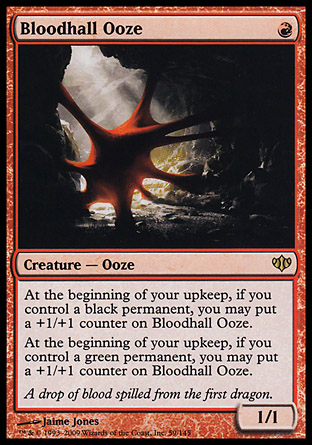
Oozes are all about +1/+1 counters, thematically speaking, even though their specific abilities vary quite widely among the 23 Ooze creatures printed. There are a couple with Deathtouch, one with Indestructible, and a few with cumulative upkeep costs, but even the cumulative upkeep costs have benefits resulting in +1/+1 counters. Depending on which Ooze you run, you can get +1/+1 counters for:
(There are plenty more abilities contained within the Ooze creature type which give you +1/+1 counters–it just depends on what you need.) Oozes are mostly printed in Green, with a few Red and Black scattered among them; there is Blue involved in the casting costs of a few Oozes as well, though not many. The mana curve runs from 1 to 7. (There are also a couple of Unhinged joke cards that have the Ooze creature type, so be ready to laugh at some of their abilities!) |
Other Examples of the Ooze Creature Type
|

|

|

|

|

|
All images from MagicCards.info
Further Research: Complete List of Ooze Creatures in Magic: the Gathering
Unusual MTG Creature Types, part 3: Griffins
As part of my “unusual creature types” series, I’ll be reviewing the Griffins today. I started off this post believing that Griffins were merely uglier, stronger Birds, but as you’ll see, I soon found out how wrong I was about them!
What Do the Griffins Do?

|
First and foremost, the Griffins are flying combat creatures, as expected, and quite a few carry vigilance and/or first strike as well. They are mostly 2/2, 2/3, or 3/2 creatures (though there are a few Griffins with larger powers or toughnesses than that), which make them fairly strong contenders against other flying-based creature decks.
But aside from their combat prowess, the Griffins have another feature: possessing some of the most random and unusual creature abilities. Here’s just a sampler of some of the stranger abilities within the Griffin creature type:
In essence, many of the Griffins carry abilities from other colors into White, since most of the Griffins are White, with only a few exceptions (a few Blue and one Red/Green/White). It makes them an interesting creature type to play in a Tribal deck, and makes them also suitable for playing in more generic White or multi-color decks as well. With a mana curve running from 1 to 6 mana, most of them hovering around 3 or 4, the 33 Griffins printed so far in M:TG can make a pretty solid White creature-based deck. Give them a try–they’re a very different flavor from Birds! |
Other Examples of the Griffin Creature Type
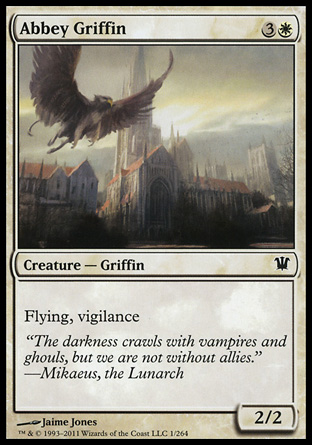
|

|

|

|

|

|
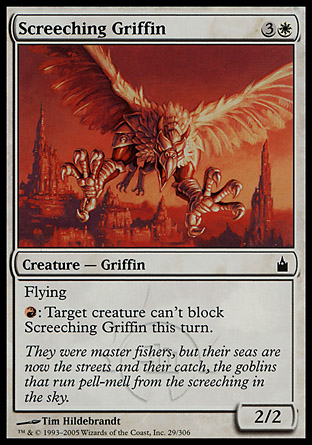
|

|
(All card images retrieved from MagicCards.info.)
Complete List of Griffins in M:TG
Unusual MTG Creature Types, part 2: Orc
Continuing my foray into obscure M:TG creature types (begun last week with Sphinxes), here’s one that I bet many modern players haven’t even heard of: Orc. For that matter, many old-school Magic players probably don’t remember Orcs, either. But, as I’ll demonstrate, Orcs aren’t necessarily a forgettable or useless creature type–actually, they have some useful abilities!
What Do Orcs Do?

|
With only 20 creatures in the entire game bearing the “Orc” creature type, Orcs are a rare and interesting side of Red. Not quite as efficient as Goblins, Orc creatures are often used as support cards for general Red decks rather than being used in a tribal deck of their own. In fact, the most prevalent of Orc abilities is a hindrance–many of them cannot block creatures power 2 or greater, and some have conditional abilities to attack or block based on the color or number of creatures attacking or blocking.
But going beyond Orcs’ handicap, they provide a risk-based control strategy, just like Red likes it. Many Orcs allow you to sacrifice something on your field (a creature, a land, an artifact, etc.) to deal damage, get a P/T bonus to your creatures, or other bonuses. Others deal damage merely by tapping, and some sack themselves to deal damage or destroy lands. There is even an Orc that allows you to look at the top 3 cards of any player’s library (take that, Sensei’s Divining Top!). Several Orcs are just 1 red mana to play, and the most expensive are Orcish Squatters and Sek’Kuar, Deathkeeper, both at 5 mana. (Mana isn’t necessarily an issue for the Orcs, but since some of them sacrifice land, it’s better that they cost relatively less.) This feature allows them to fit into generic Red decks with a little more ease. Overall, the Orcs printed thus far offer Red decks some much-needed utility; they aren’t necessarily meant for combat, since most of them are 1/1s or 2/2s. But including a few Orcs may just enable your Red deck to do more control and resource management than it has before–you just have to be willing to take the risk! |
More Examples of Orcs

|

|

|

|

|
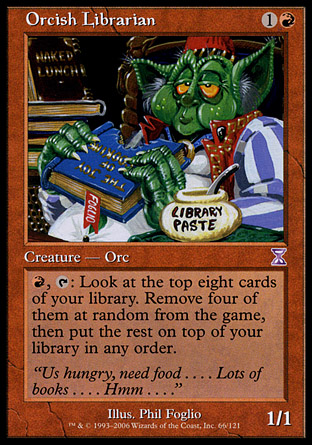
|
All card images retrieved from MagicCards.info.
Further Research: Complete Orc List
Find the complete list of Orcs on Gatherer: Orc Search
Unusual M:TG Creature Types, part 1: Sphinx
With all the popular decks built around ubiquitous creature types (such as Elves, Fairies, Merfolk, Elves, Angels, Goblins, Elves, Zombies, Clerics, and did I mention Elves? LOL!), many of the other, less-printed creature types can go by unnoticed. As a direct result of both number of creatures printed and “the new hot decks” being played to death in tournaments, most MTG players don’t often get to dig into these rarer creature types (which is what spurred this new series of blog posts).
Thus, I begin my “Unusual Creature Types” series with a personal favorite rare creature type: the Sphinxes!
What Do the Sphinxes Do?

|
Basically, the Sphinx creature type is Blue’s answer to Angels. Sphinx of the Steel Wind, at left, is as close to Akroma, Angel of Wrath as you can get (all that’s different about her abilities is what colors she’s got protection from, and the lifelink instead of haste).
Aside from flying like Angels, however, the 27 Sphinxes printed so far in M:TG operate very differently from their White counterparts. Sphinxes provide a lot of card draw, offer a fair amount of synergy with artifacts, and have neat mechanics where you can name a card and then do something cool with that information (like Isperia the Inscrutable’s ability, seen below). Otherwise, Sphinxes can manipulate cards, shuffle and search libraries, mill opponents, or glance ahead at the top card of your deck. The cheapest Sphinx so far is Vexing Sphinx, at 3 mana; the most expensive Sphinxes are 8 mana (both Sphinx Sovereign and Sphinx of the Steel Wind cost this much)–the mana curve is very similar to Angels. Primarily, Sphinxes are Blue, but a few splash in White and Black; they feature huge power and toughness (but, unlike Angels, their toughnesses are often larger than their powers). Sphinxes can definitely handle combat, but only a few of their number actually deal with boosting P/T or are given combat-centric abilities such as vigilance. Overall, Sphinxes are a really interesting addition to Blue; they take the Angels’ basic combat numbers and add card draw and manipulation to the mix. I like ’em–how about you? |
Other Examples of the Sphinx Creature Type

|

|

|

|

|

|
(Images of cards retrieved from MagicCards.info)
Further Research: Complete List of Sphinxes in Magic: the Gathering
Marvel Heroes
Since the closure of City of Heroes, I have found myself missing my superhero MMO gaming experience. For CoH refugees and all other curious folk, then, I present an acceptable alternative: Marvel Heroes.

The premise is quite simple: you play as one of an assortment of Marvel heroes and heroines (like Thing, pictured above), leveling up and growing in strength until you’re strong enough to overtake Dr. Doom and get the Cosmic Cube away from him. You fight many other Marvel bad guys along the way, like the Green Goblin, the Hood, Taskmaster, etc., and several heroes in the game help you with your various quests as NPCs.
This game is free-to-play, with an In-Game Store which allows you to buy access to more heroes, costumes, special items, etc. (When you begin the game, you are given a choice between Daredevil, Scarlet Witch, Thing, Storm, and Hawkeye.). Most people who have played the Diablo series refer to this game affectionately as “Diablo with Marvel characters,” because of the way the game is set up and played.
Being Heroic
Playing your character basically involves going on missions (either solo or in teams), defeating bad guys, gathering items, becoming stronger, and the like. One interesting difference, however, is that your character can interact directly with the environment. And by “interact,” I mean smash things. 😀

See these cars and random cardboard boxes?

…Yeah, Thing just happened. POW! (This is Crashing Leap at work, LOL)

Depending on your hero’s powers, you can bust boxes, pick up cars, break open containers, or, as Thing is demonstrating here, smash the ground so that things at a distance explode. 😀 Let your inner child run wild as you explore the various levels–half the fun of this game is smashing stuff and revealing items/money to pick up!

And what about fighting? Well, active battle is hard to capture with screenshots alone, but as you fight, the bad guys drop little amounts of Health (red ball) and Spirit (blue ball) to help you refuel your Health and Spirit on the fly. For instance, the bad guy Thing just smacked into next week in the above image has dropped a Spirit ball.
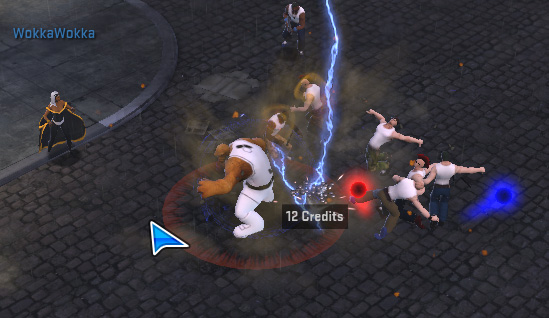

Also, bad guys drop money and items on occasion. Items and money which appear on your screen from smashing bad guys or boxes are just for you–no other hero can see them. Hover your mouse cursor over anything that looks interesting on the ground; if a title pops up, it’s an item that you can pick up.
(Note: if you drop an item out of your personal inventory onto the ground, it appears on everybody’s screen. If you see another character drop something on the ground, though, PLEASE ask before you pick it up! Dropping things on the ground is the only way at the moment to give items to other players, so you could easily disrupt a gift-giving operation.)
Making Sense of the Marvel Heroes Screen

The above shot is a full screenshot of how a typical game screen appears. (Click on the image to open a new window in which you can see it at full size.)
Your screen contains most all the information you need to know about your character right away. For instance:

The buttons at the bottom left of the screen control, from left to right, Character information, Powers, and the In-Game Store. The big red circle shows you how much Health your character has left–here, we see that Thing has all 4,575 points of Health, because the circle is completely filled in.

At the bottom center of the screen is your power tray (all the little square images are different powers); the leftmost power is activated by clicking the left mouse button, and the rightmost power is activated with the right mouse button. Between these two, each power is activated by a different key on the keyboard–the default setup is A through H on the keyboard.
Above the power tray, you’ll see a little blue bar–in this image, it’s partially filled in. This is your XP bar, showing you visually how far you’ve got to go till your next level. Here, you can see that my level 34 Thing is about 1/3 of the way toward level 35. (Bonus: the more transparent blue off to the right of the filled-in portion is your Rested XP amount. This works like Patrol XP in CoH, building up as you’re logged off the character, and it makes leveling up a little easier.)

At the bottom right of the screen, you can see the big blue circle, representing Spirit (also known as Endurance or Mana for people who’ve played other MMOs). To use most of your heroic powers, you have to use certain amounts of Spirit. To the right of the Spirit meter, you’ll see buttons for your Missions, your Hero Roster, and Game Options.

Halfway up the right side of the screen, you’ll see your Active Mission titles displayed. Also, items that are used over time, like Rarity Boosts, XP Boosts, etc, are shown at a glance just below the Missions.

Halfway up the left side of the screen, your Chat panel (aka the “Chatbox”) can be expanded out (like the picture) or it can fade away into the background as needed. You can open your Social panel using the top button on the Chatbox, scroll up and down in the Chatbox with the arrows, and open/close the Chatbox with the bottom button. The Chat window displays announcements by other characters, notifications of friends getting online, boss speech, and all sorts of other information.

At the top right of the screen, a small map is displayed, with the name of the area you’re in and where you’re positioned on it. You can zoom in or out using the plus and minus sign buttons.
Also, the little “home” button at the very top right of the map panel is your “Bodyslider” button. This allows your character to teleport back to a safe zone (like Avengers Tower, Xavier’s School, etc.), where you can buy/sell items, craft rare items, heal up from damage, play endgame content, and travel to other zones.
Additional Information Panels
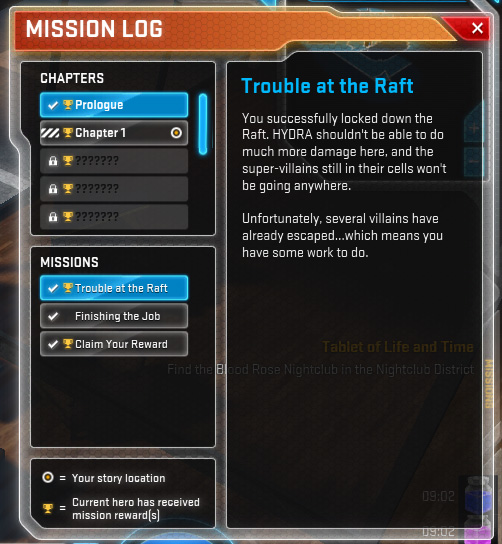
Bringing up your Mission Log shows you where in the main Story you are, and what missions you need to work on. (Story Mode contains a Prologue, 8 chapters, and then an Endgame tab where you can play harder, higher-level stuff. You have to play through Story Mode first before you can get access to Endgame content.)
One really annoying thing about the Mission Log: It is a “shared” log, meaning that all characters see the same progress. If you want to play through Story Mode again with a new character, you’ll have to reset your mission progress–you won’t lose any accomplishments on your higher-level heroes, and it’ll enable your lower-level heroes to get mission rewards. (I REALLY don’t like this; I think it should be separate mission logs for every character, but this is how it is for the moment.) The little trophy icons tell you whether your current hero has worked through various chapters of Story Mode already–for instance, I’ve already played through Story Mode with Thing, so he has little trophy icons everywhere. 😀

Your Inventory shows you what items you have, plus your hero’s stats and the gear and items they have equipped. For instance, you can see that Thing is level 34, with 2,582 defense, and he’s carrying some items. He’s also got several purple items he’s wearing–wearable items in the game range from gray (really common, not really powerful) to purple (very rare, usually really powerful). Add to that the various Medals and Medallions for beating bosses, and helpful Artifacts which give your character added stats or powers, and your character can end up with a lot of item bling!

Here, you can see all the powers which make up Thing–all characters come with three power trees to choose from. To get a power, simply put a Power Point (from leveling up) into it, and drag it down to your power tray. As you put more points into powers, they get stronger.

For instance, I’ve chosen to take three powers from the Brawler tree with Thing. One is REALLY leveled up, with 11 power points in it, and the others are moderately powered up. (Note: see the arrows connecting the three powers together? That means that you have to take the top power before you can get the middle power, and the middle power before you can get the bottom power. For all heroes, the bottom-most power in a linked chain of powers is the strongest and should be used as you get into higher levels.)

Your Hero Roster shows you which heroes you have access to (the brightly-colored heroes) and which heroes you would have to purchase to play (the grayed-out heroes). As you can see, I’ve played Thing and Scarlet Witch, and have just started on Hulk. 🙂

Last but not least, your Social panel allows you to see friends, nearby players, and–yes, you guessed it–your Supergroup! (Just like Guilds on other MMOs, and exactly like City of Heroes. :’) )
How to Play
Marvel Heroes is available through Steam and MarvelHeroes.com–the Steam download seems to perform a little better than the MarvelHeroes.com download. As I said, it’s free-to-play, so give it a shot! More information can be found through the Marvel Heroes Wikipedia article.